

Have an idea to improve our application or workflow? Share it with us through the Ideas Portal—it’s the perfect place to submit your suggestions.
Once you share your input, our Product team will review it carefully and evaluate how it fits into the future development of our app.
Wondering how to access the Ideas Portal? It’s easy:
Log in to your online account, click the ‘More’ tab in the top-right corner, then scroll down and choose ‘Add Product Idea‘:
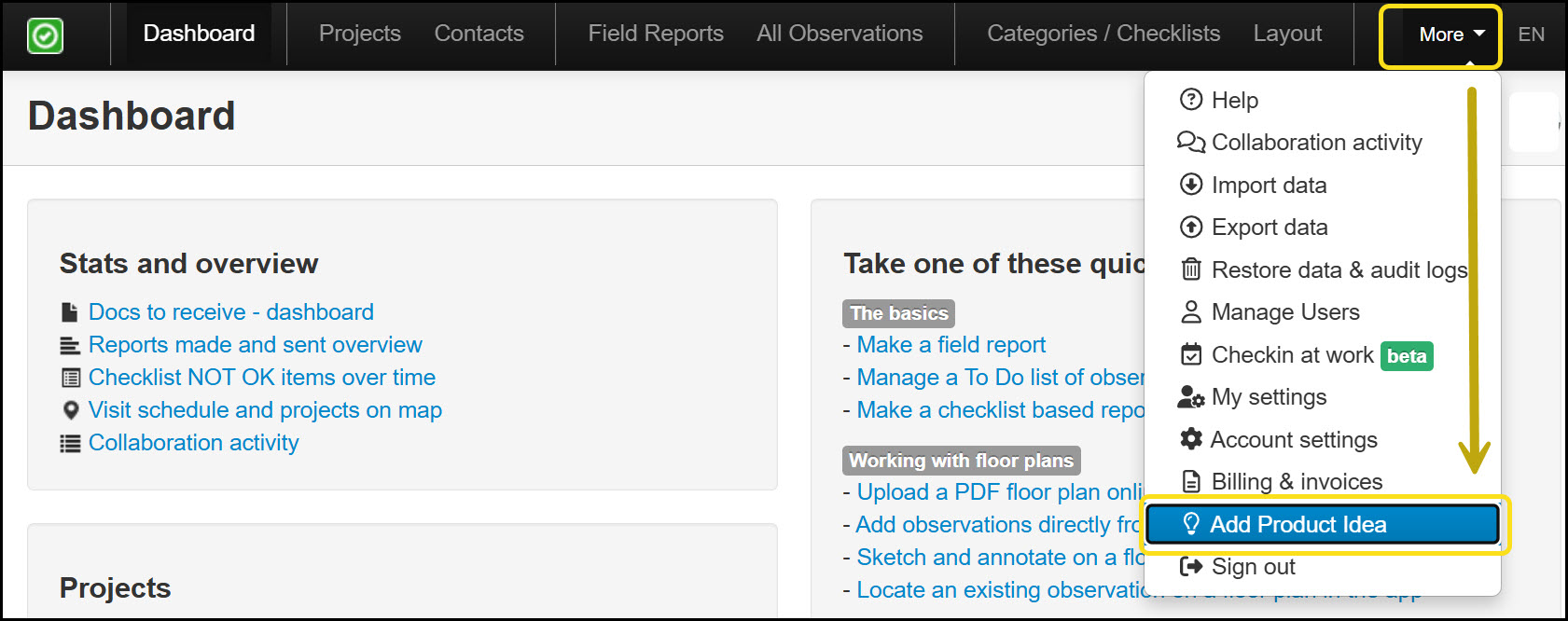
This will open the Ideas Portal in a new browser tab, where you can:
Search for ideas by keyword, title, or idea number.
Vote on existing feedback or suggestions to increase their visibility.
Submit a new idea if yours isn’t listed yet.
2. In the portal, click ‘Add a New Idea’ to submit your suggestion:
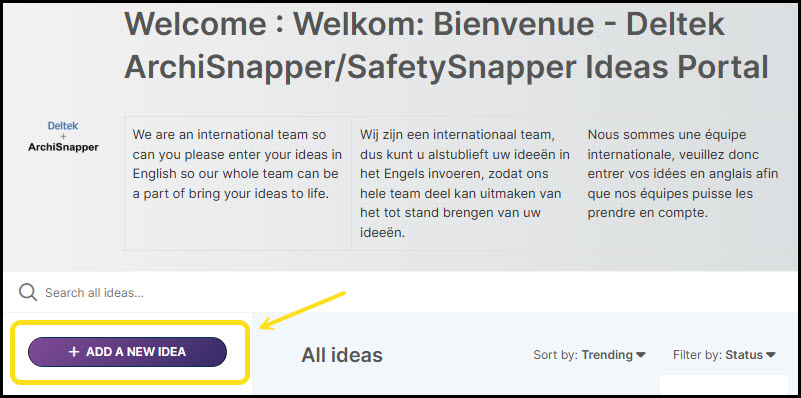
A few suggestions when submitting your feedback:
Provide a clear title for your idea, include detailed information, and add an image if possible.
IMPORTANT: Your idea and image will be visible to other users, so avoid personal or sensitive information.
Select an appropriate category.
Click the Add Idea button to submit. That’s it!
From that point forward, our Product Management team will take the lead. They’ll review your proposal thoroughly and evaluate its relevance and feasibility within the app’s ongoing development roadmap.
Whenever there’s an update—whether your idea is scheduled, implemented, or declined—you’ll automatically receive an email notification. This ensures you’re always informed about the status of your submission.
Got questions? Reach out to us at support@archisnapper.com.